ERR_CERT_COMMON_NAME_INVALID Certificate Name MismatchERR_CERT_COMMON_NAME_INVALID
criticalBrowser Error
ERR_CERT_COMMON_NAME_INVALID occurs when the domain name the browser is connecting to does not match the Common Name (CN) or any Subject Alternative Name (SAN) listed in the server's certificate. Modern certificates use the SAN extension to specify which domains they are valid for, the CN field is largely ignored by current browsers. This error indicates a mismatch: the certificate was issued for a different domain, or the domain you are accessing (including subdomain variations like www vs non-www) was not included when the certificate was created.
What This SSL Error Looks Like in Chrome
Status
ERR_CERT_COMMON_NAME_INVALID: Certificate Name MismatchExample
Browser Error Message
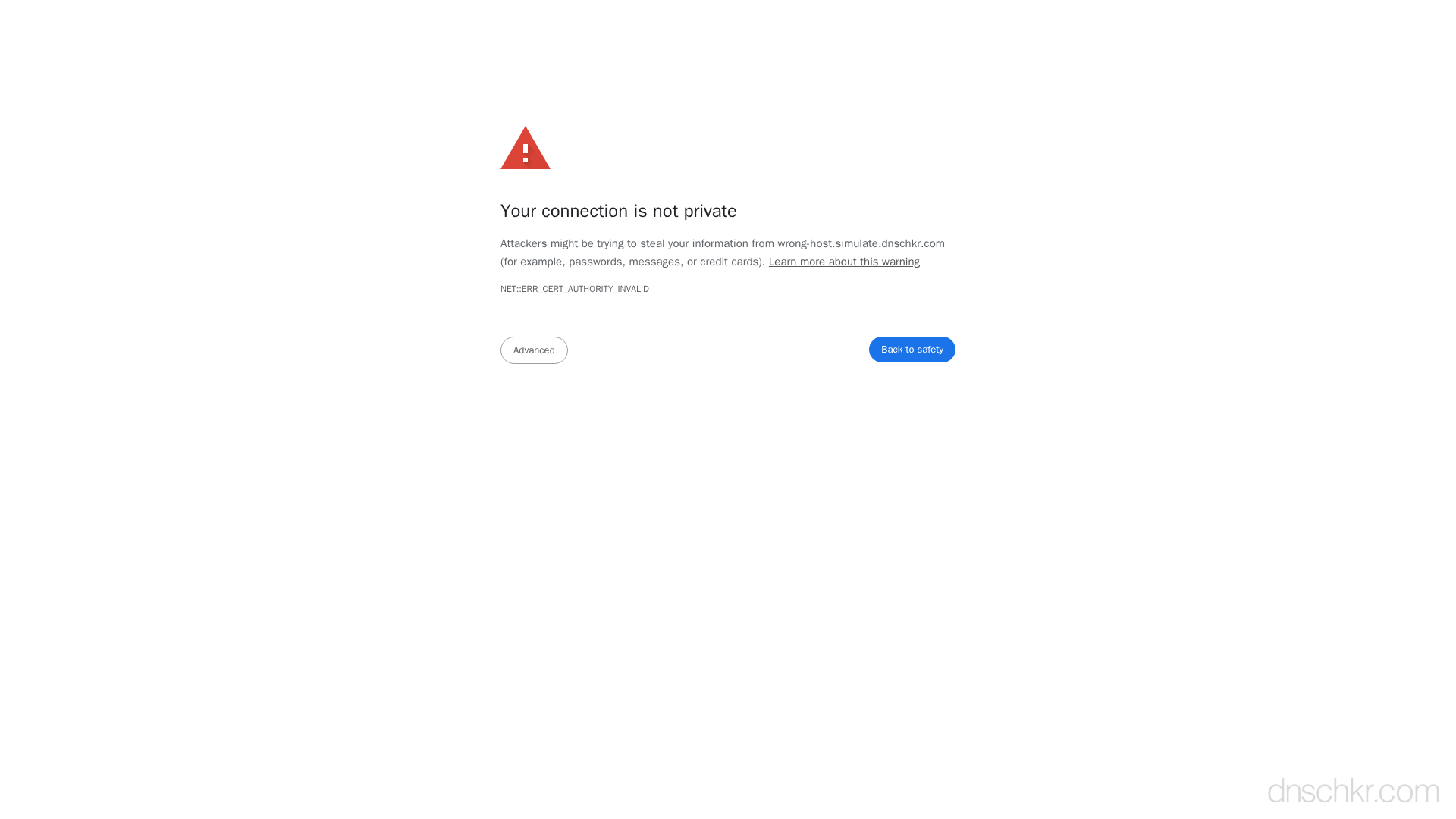
Your connection is not private

Attackers might be trying to steal your information from www.example.com (for example, passwords, messages, or credit cards).

NET::ERR_CERT_COMMON_NAME_INVALID

This server could not prove that it is www.example.com; its security certificate is from example.com. This may be caused by a misconfiguration or an attacker intercepting your connection.
How to Troubleshoot
1
Inspect the certificate's SAN entries
Check which domains the certificate is valid for by examining its Subject Alternative Names. The domain you are accessing must be listed here.
openssl s_client -connect yourdomain.com:443 -servername yourdomain.com 2>/dev/null | openssl x509 -noout -text | grep -A1 'Subject Alternative Name'
2
Verify DNS resolves to the correct server
Confirm that the domain's A/AAAA records point to the server that has the correct certificate installed. DNS mispointing is a common cause after migrations.
Check DNS Records3
Reissue the certificate with correct SANs
If the domain is missing from the certificate, reissue it with all required domains listed. For Let's Encrypt, specify all domains with the -d flag.
sudo certbot certonly --nginx -d yourdomain.com -d www.yourdomain.com
4
Check SNI configuration
If the server hosts multiple sites, ensure each virtual host has the correct ssl_certificate directive pointing to the right certificate file. Test SNI by specifying the servername in openssl.
openssl s_client -connect YOUR_IP:443 -servername yourdomain.com 2>/dev/null | openssl x509 -noout -subject -ext subjectAltName
Common Causes
Certificate issued for wrong domain
highThe certificate was issued for example.com but you are accessing www.example.com, or vice versa. Certificates must explicitly list every domain and subdomain they cover in the SAN field. A certificate for example.com does not automatically cover www.example.com unless it is listed as a SAN or a wildcard certificate is used.
Wildcard certificate does not cover the subdomain level
mediumA wildcard certificate for *.example.com covers sub.example.com but does NOT cover sub.sub.example.com (multi-level subdomains) or the bare domain example.com itself. Accessing a domain not covered by the wildcard triggers this error.
Server is hosting multiple sites with SNI misconfiguration
mediumWhen multiple HTTPS sites share the same IP address, the server uses Server Name Indication (SNI) to select the correct certificate. If SNI is misconfigured or the default certificate does not match the requested domain, the wrong certificate is presented.
DNS points to wrong server
lowThe domain's DNS records may have been changed to point to a different server that has a valid certificate, but for a different domain. This is common after migrations or IP address changes.
Quick Diagnostics
Related Error Codes
ERR_CERT_AUTHORITY_INVALID
Certificate Authority Invalid
The browser does not trust the Certificate Authority that signed the server's SSL certificate.
ERR_CERT_DATE_INVALID
Certificate Date Invalid
The server's SSL/TLS certificate has expired or is not yet valid according to the system clock.
bad_certificate (42)
Bad Certificate
A certificate in the TLS handshake was corrupt, contained invalid signatures, or could not be parsed.
Frequently Asked Questions

This reference was compiled from official RFCs, protocol specifications, and hands-on troubleshooting experience. AI tools were used primarily for formatting and organizing the content on the page.