ERR_CERT_AUTHORITY_INVALID Certificate Authority InvalidERR_CERT_AUTHORITY_INVALID
criticalBrowser Error
ERR_CERT_AUTHORITY_INVALID means the certificate presented by the server was signed by a Certificate Authority that the browser does not recognize or trust. Browsers maintain a built-in list of trusted root CAs, and every certificate must chain back to one of these roots through a series of intermediate certificates. If any link in this chain is missing, untrusted, or self-signed without being explicitly trusted by the client, the browser will reject the certificate. This error frequently occurs with self-signed certificates, missing intermediate certificates, or internal corporate CAs that have not been installed on the client machine.
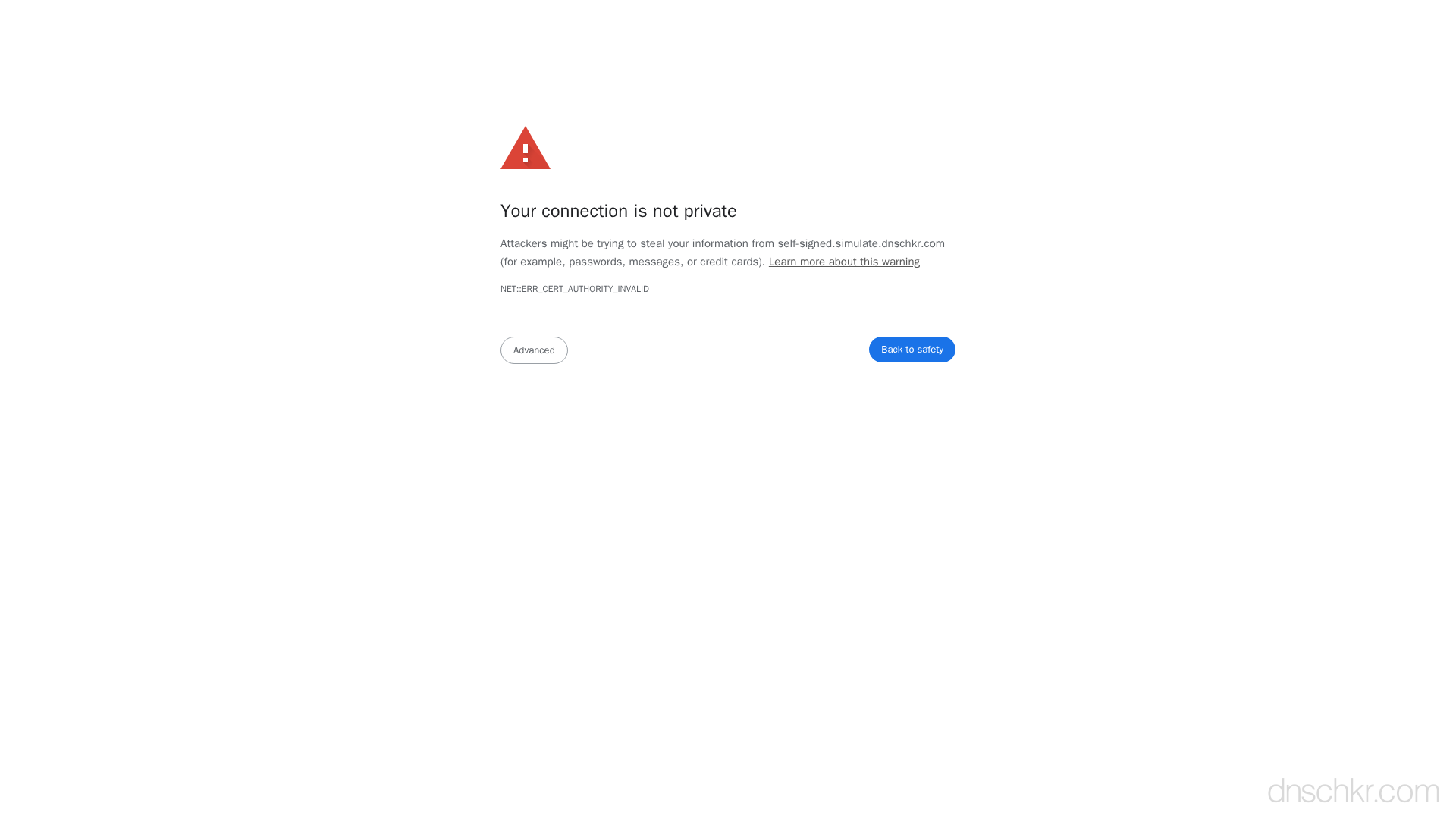
What This SSL Error Looks Like in Chrome
Status
ERR_CERT_AUTHORITY_INVALID: Certificate Authority InvalidExample
Browser Error Message
Your connection is not private

Attackers might be trying to steal your information from www.example.com (for example, passwords, messages, or credit cards).

NET::ERR_CERT_AUTHORITY_INVALID

This server could not prove that it is www.example.com; its security certificate is not trusted by your computer's operating system. This may be caused by a misconfiguration or an attacker intercepting your connection.
How to Troubleshoot
1
Check the full certificate chain
Inspect the certificate chain the server sends. Verify that it includes the leaf certificate, all intermediate certificates, and that the chain terminates at a trusted root CA.
openssl s_client -connect yourdomain.com:443 -servername yourdomain.com -showcerts 2>/dev/null | grep -E 'subject=|issuer='
2
Install missing intermediate certificates
If the chain is incomplete, download the intermediate certificates from your CA's documentation and configure your web server to send the full chain. In Nginx, concatenate the leaf and intermediate certificates into one file.
cat yourdomain.crt intermediate.crt > fullchain.crt
3
Replace self-signed certificates with trusted ones
For production servers, obtain a certificate from a trusted CA. Let's Encrypt provides free trusted certificates that are recognized by all major browsers.
sudo certbot certonly --nginx -d yourdomain.com
4
Verify CAA records allow your CA
DNS CAA records restrict which Certificate Authorities can issue certificates for your domain. If CAA records are misconfigured, your CA may be blocked from issuing a valid certificate.
Check DNS RecordsCommon Causes
Self-signed certificate
highThe server is using a certificate that was not signed by a publicly trusted CA. Self-signed certificates are common in development environments but will always trigger this error in browsers unless the user explicitly adds an exception.
Missing intermediate certificate
highThe server is only sending the leaf certificate without the intermediate certificates needed to complete the chain to a trusted root. The browser cannot verify the chain of trust and rejects the connection. This is one of the most common server misconfigurations.
Expired or revoked root CA
mediumThe root CA that signed the certificate chain has been removed from browser trust stores. This happened notably with older Symantec/GeoTrust roots that were distrusted by browsers. Certificates signed by these CAs will trigger authority invalid errors.
Corporate proxy or firewall intercepting HTTPS
mediumA network appliance (corporate firewall, antivirus software, or HTTPS proxy) is intercepting the connection and presenting its own certificate. If the proxy's CA is not installed on the client, the browser will reject it.
Quick Diagnostics
Related Error Codes
ERR_CERT_DATE_INVALID
Certificate Date Invalid
The server's SSL/TLS certificate has expired or is not yet valid according to the system clock.
ERR_CERT_COMMON_NAME_INVALID
Certificate Name Mismatch
The domain name in the URL does not match any of the names listed in the server's SSL certificate.
unknown_ca (48)
Unknown Certificate Authority
The certificate chain could not be validated because the root CA is not in the peer's trust store.
bad_certificate (42)
Bad Certificate
A certificate in the TLS handshake was corrupt, contained invalid signatures, or could not be parsed.
Frequently Asked Questions

This reference was compiled from official RFCs, protocol specifications, and hands-on troubleshooting experience. AI tools were used primarily for formatting and organizing the content on the page.